Multi-company accounting in one place
Handle multiple client companies from one workspace with company-based controls and cleaner separation than spreadsheet-driven setups.

Desktop Accounting Software
Accountryx Desktop helps accountants and bookkeepers manage client companies, post journal entries, import spreadsheets, generate financial reports, and monitor performance — now available on the Microsoft Store.
Built for accountants, bookkeepers, and accounting firms.
Why Accountryx Desktop
Launch positioning stays focused on speed, clarity, and structured accounting workflows instead of generic ERP messaging.
Handle multiple client companies from one workspace with company-based controls and cleaner separation than spreadsheet-driven setups.
Upload, parse, match accounts, preview entries, and commit cleaner data without rebuilding everything manually.
Post entries with numbering, maintain structure, and move from source data to ledgers and trial balances with less friction.
Generate financial statements and monitor KPI widgets and charts from the same system used to run day-to-day work.
Manage multiple client companies from a single admin workspace with company-specific context and structured separation.
Add, edit, bulk update, import, export, and clone default chart structures during onboarding.
From journal entries to ledger, trial balance, balance sheet, income statement, equity, and cash flow.
Use configurable widgets, KPIs, charts, and spreadsheet account matching to reduce repetitive month-end work.
In-app screenshots
Every screen ships in the same structured workflow — no switching between apps, tabs, or external tools.
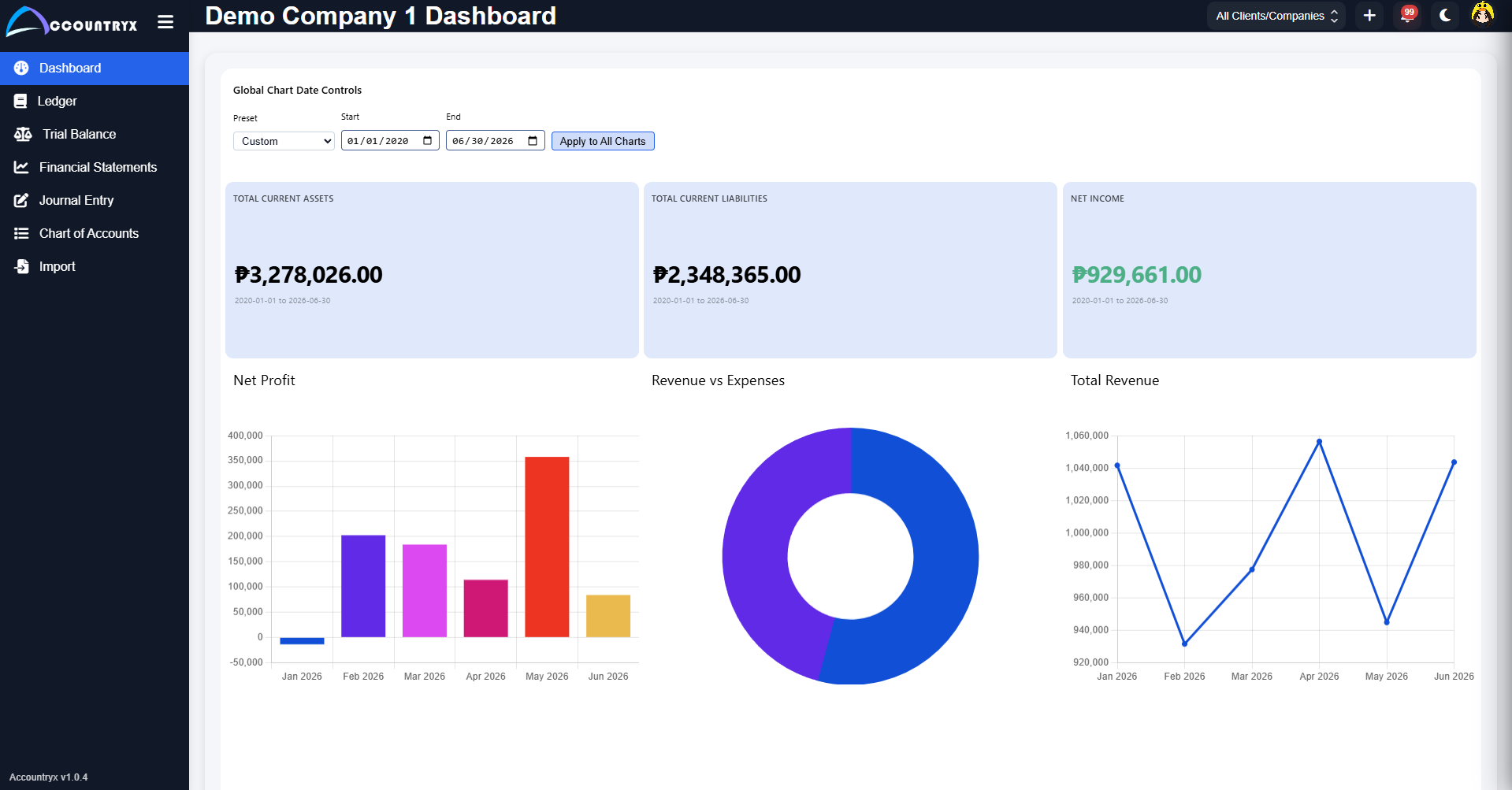
Your main workspace after login. View KPI metric cards — Total Current Assets, Total Assets, Total Equity, Net Income — alongside Net Profit bar charts, Expense Breakdown pie charts, and Return on Equity trend lines. Date range controls apply across all charts globally.
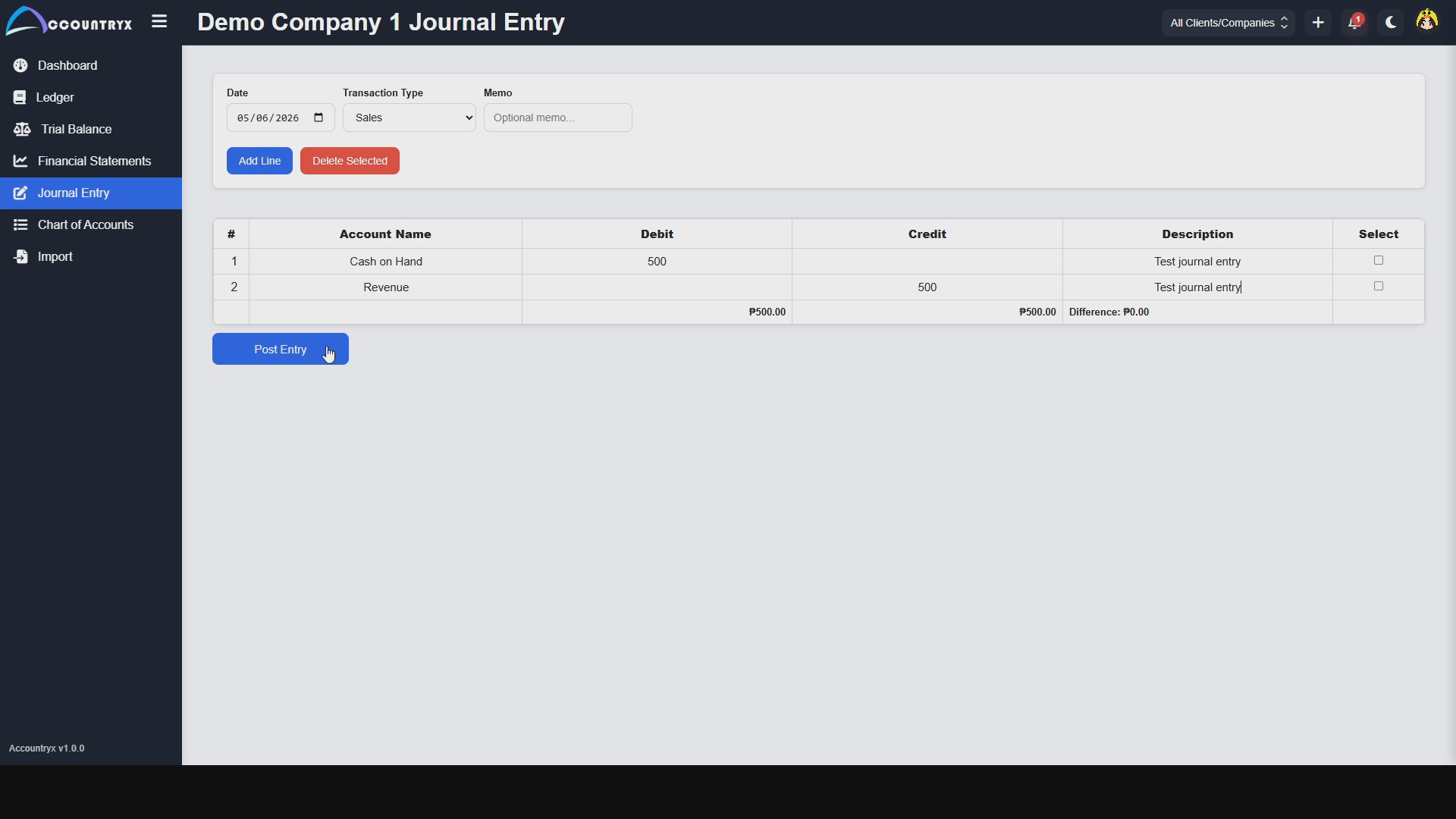
Post journal entries with date, transaction type, and memo. Add debit and credit line items — up to 10 per entry — selecting account names directly from your chart of accounts. New accounts can be added inline without leaving the page. A running difference keeps your entry balanced before posting.
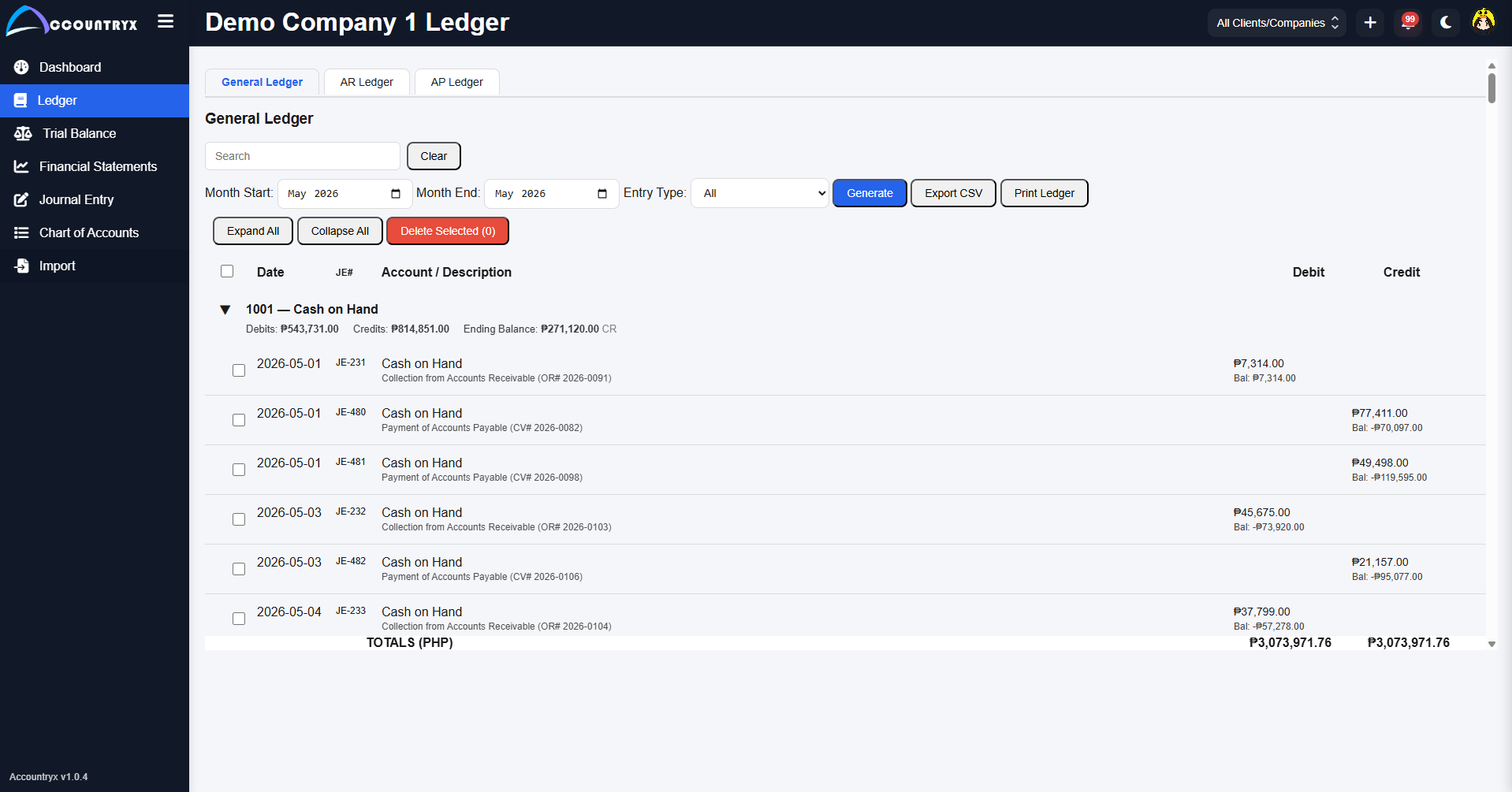
Browse your general ledger filtered by month range and entry type. Entries are grouped by account code, showing debits, credits, and running ending balances. Expand account groups to see individual transactions with memo descriptions. Export to CSV or print directly.
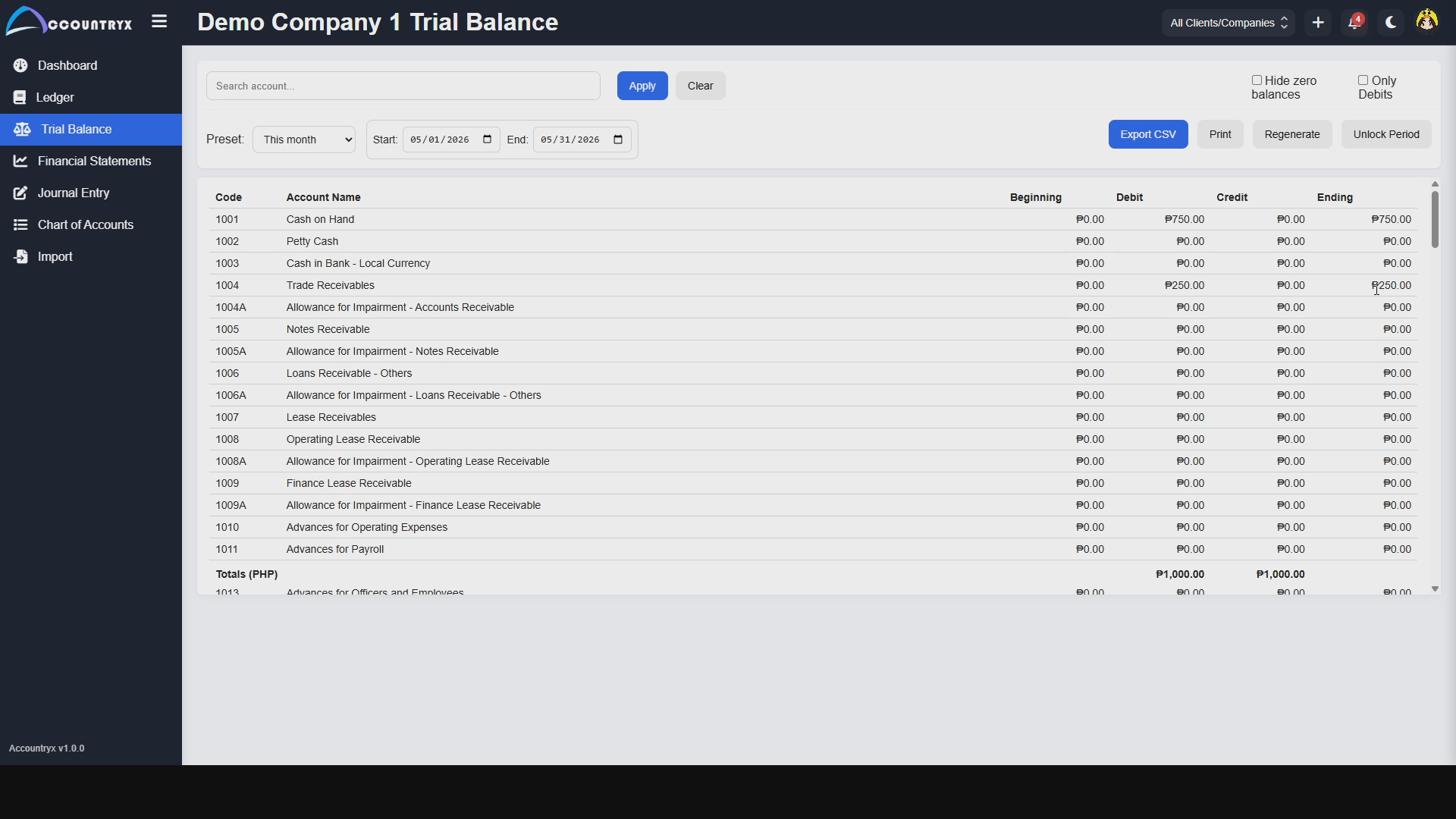
Generate a trial balance for any date range with beginning, debit, credit, and ending balance columns for every account in your chart. Filter by account name, hide zero balances, show only debits, and export to CSV or print. Unlock period controls for period-specific adjustments.
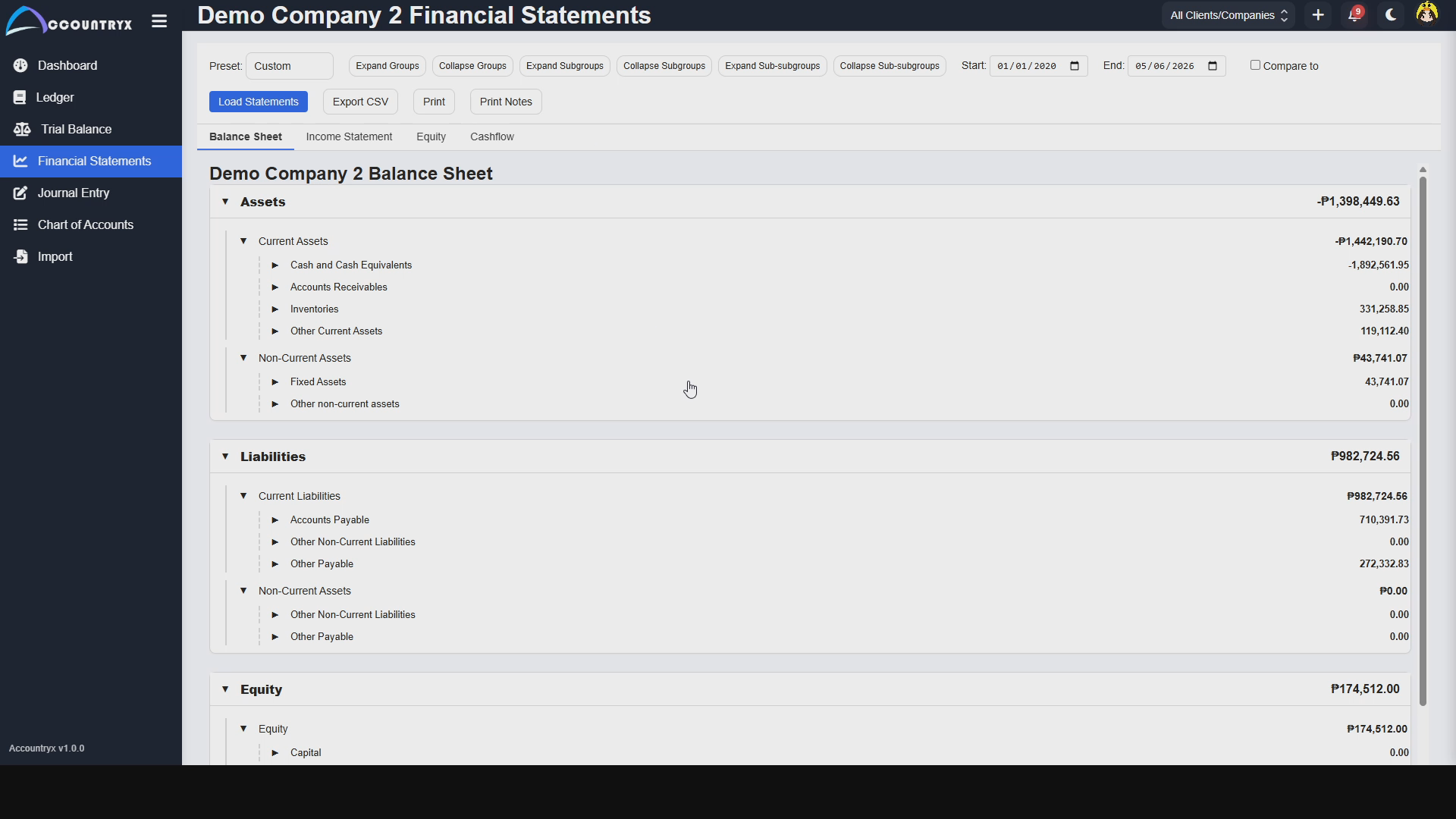
Load your Balance Sheet, Income Statement, Equity, and Cash Flow statements from a single screen. Expand or collapse account groups, sub-groups, and sub-subgroups. Compare periods side-by-side (Pro and Lifetime plans), export to CSV, print, or add notes. All statements follow PFRS-aligned account structures.
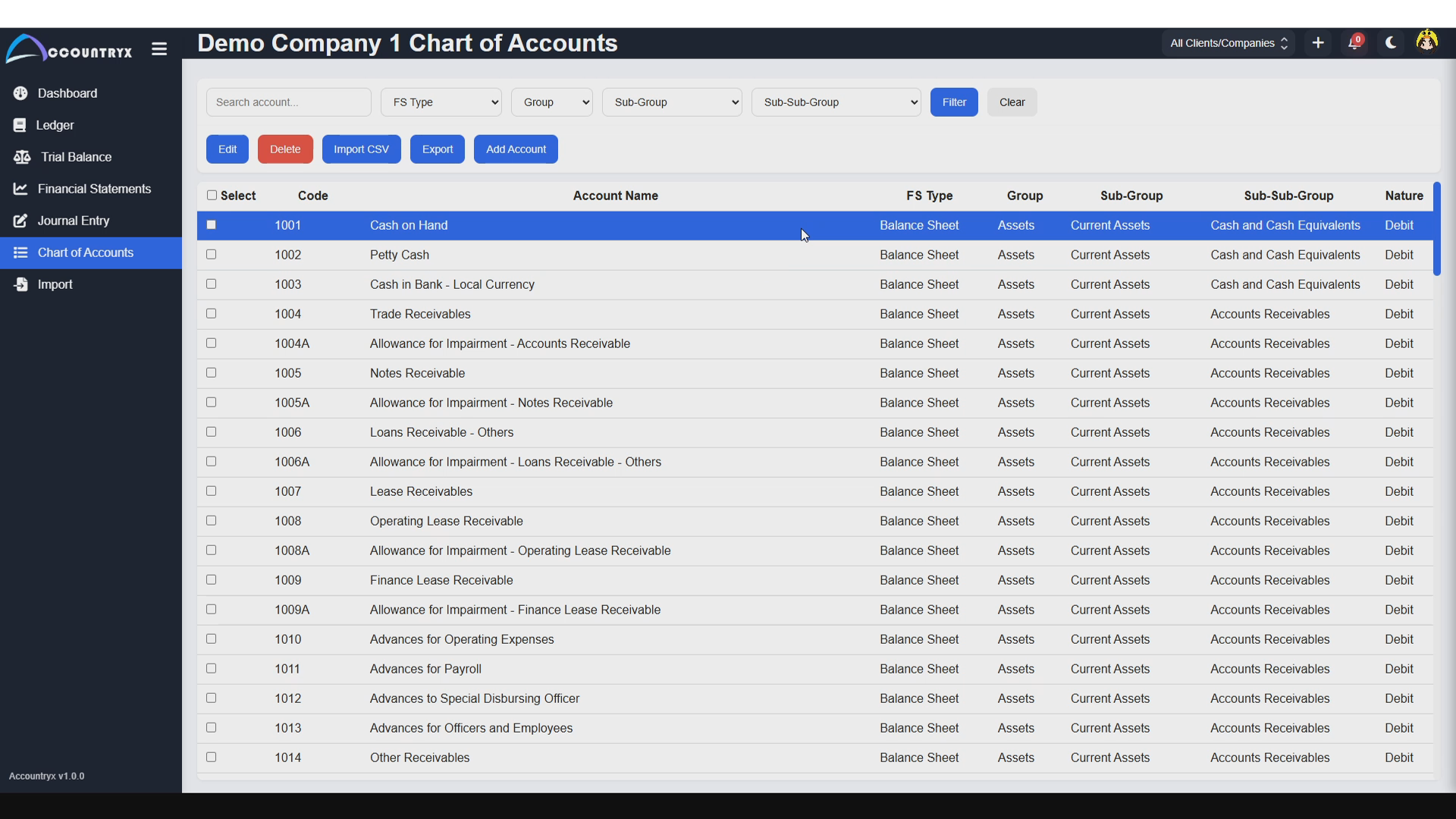
Add, edit, and manage your full chart of accounts structure. Clone default account structures during company onboarding or import custom charts from spreadsheets (Basic, Pro, and Lifetime plans). Each account carries a code, name, type, and grouping for proper financial statement mapping.
5 color themes + dark mode — included with all paid plans
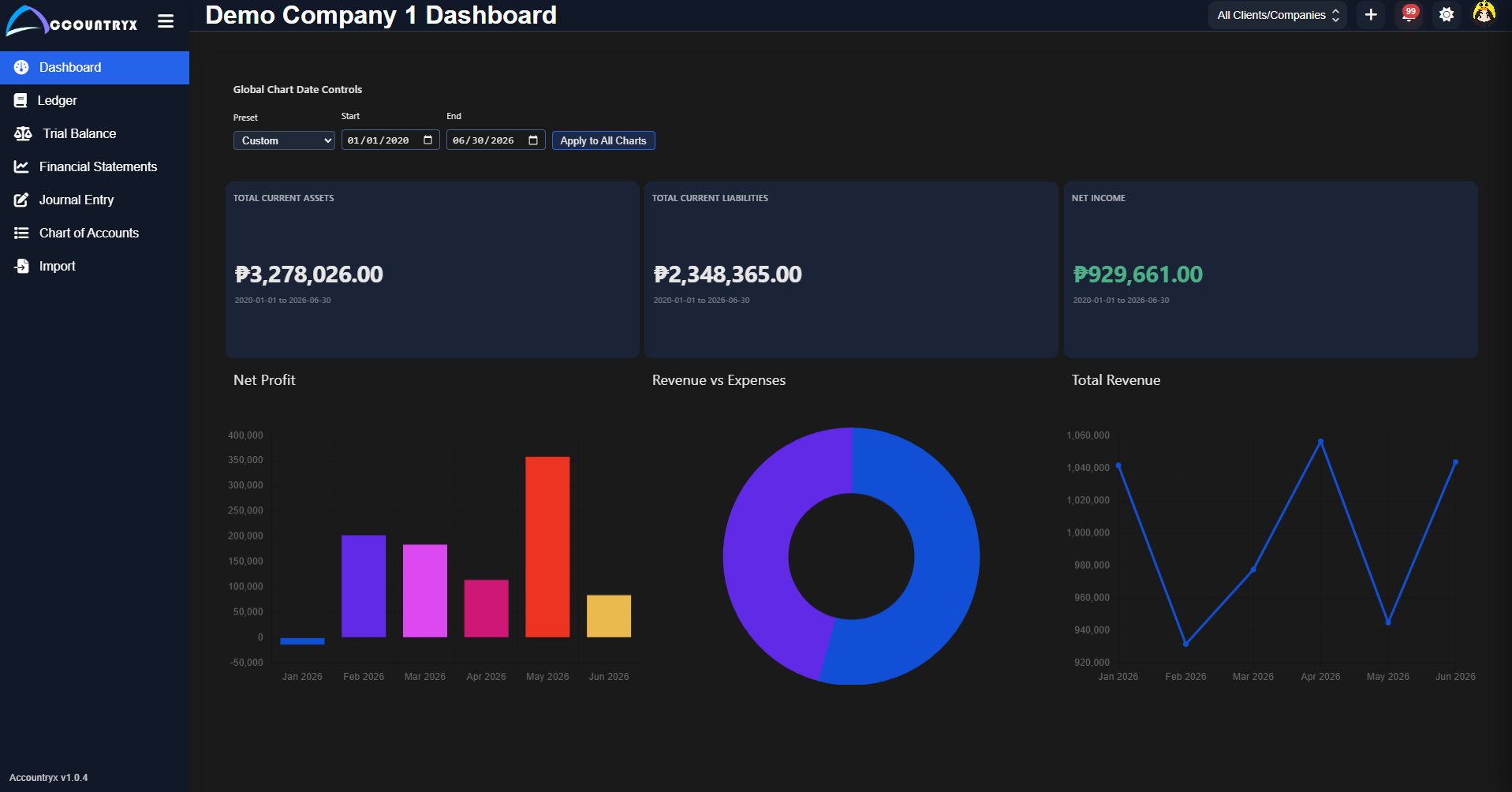 Blue
Blue
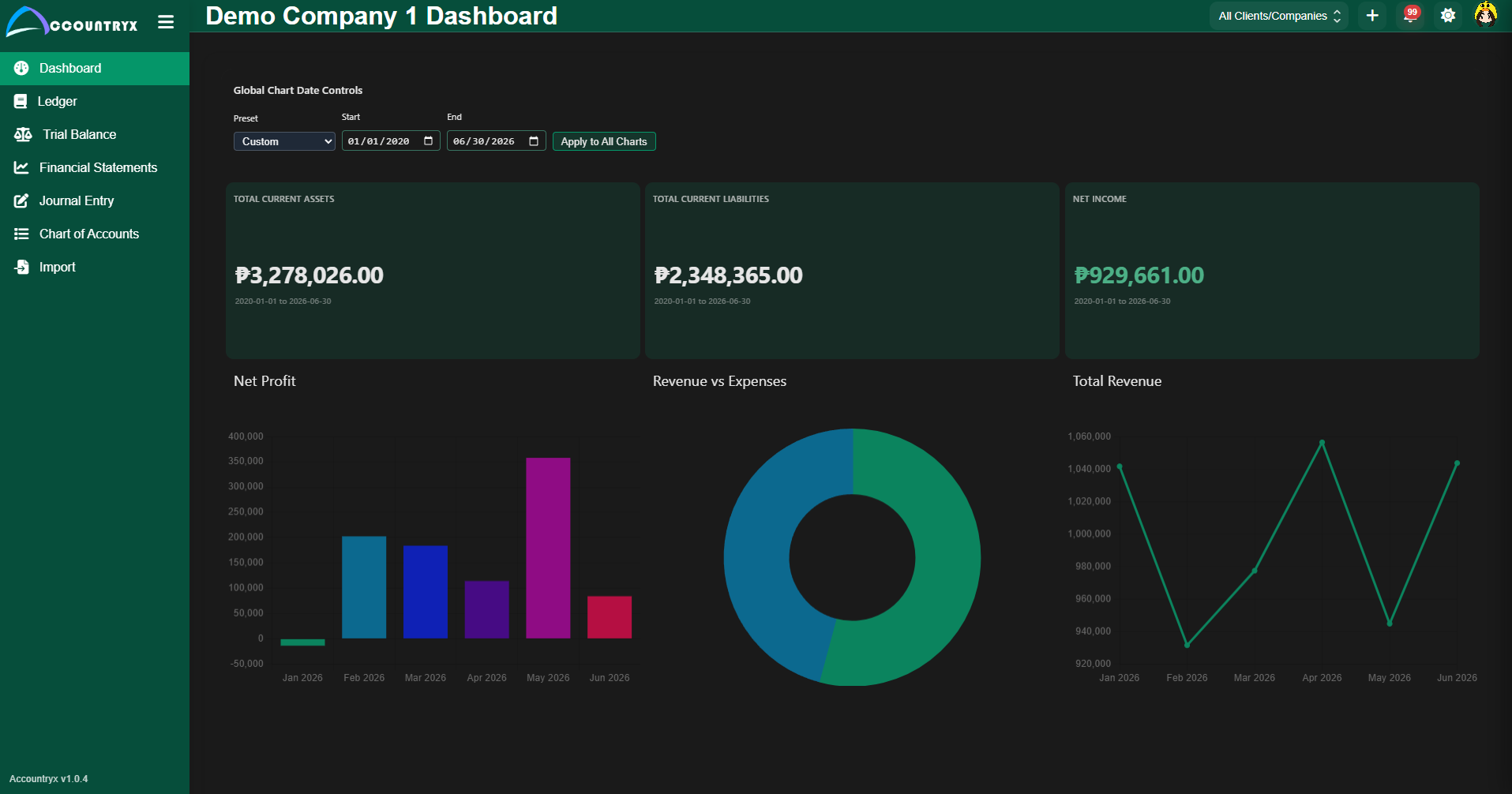 Green
Green
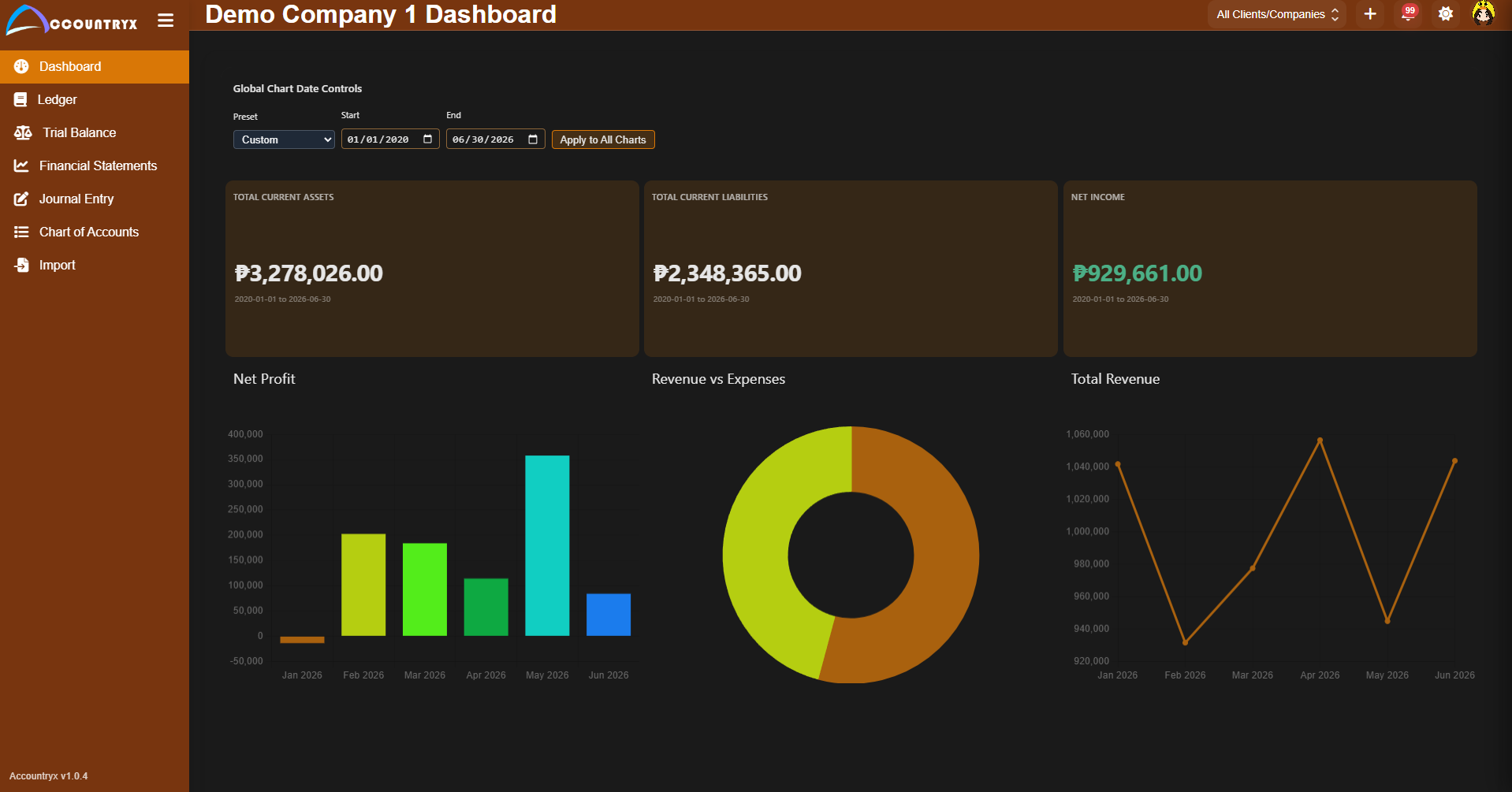 Orange
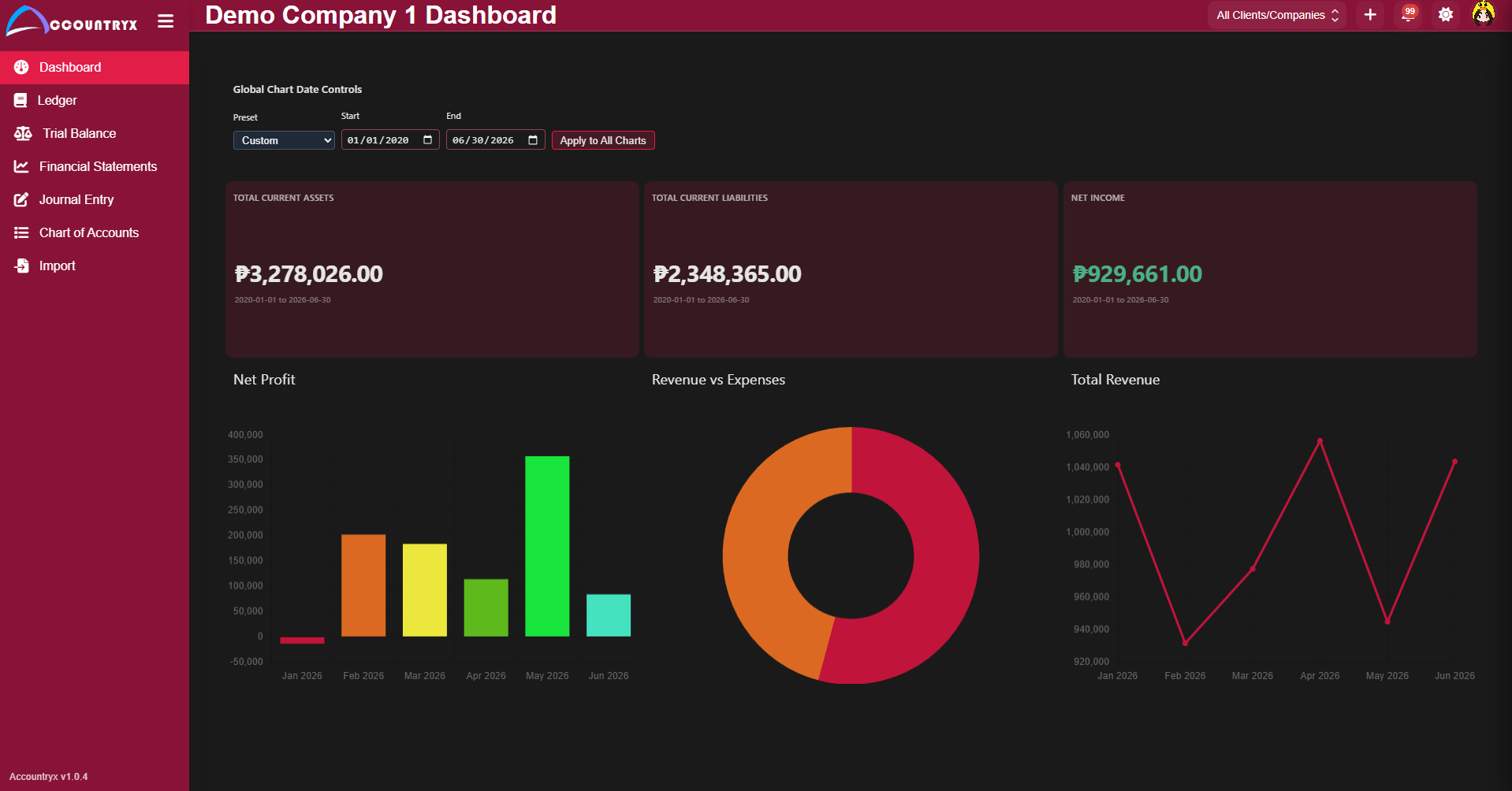 Red
Red
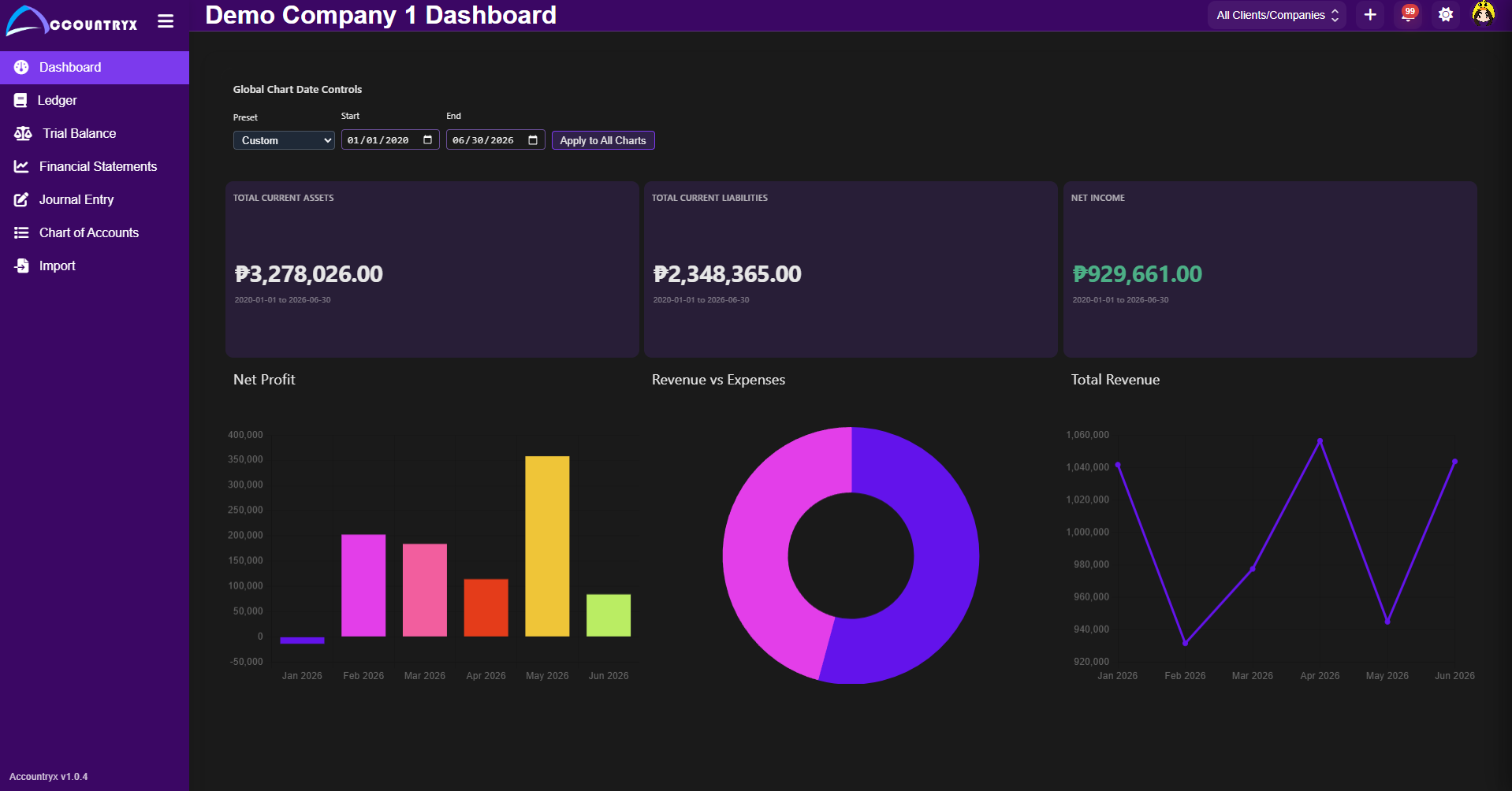 Violet
For accountants & bookkeepers
Accountryx Desktop is the primary product. It is designed for freelance bookkeepers, growing firms, and accounting teams still relying heavily on Excel imports but needing a cleaner, more structured operating model.
Who uses Accountryx Desktop
Pricing
All plans are purchased and managed through the Microsoft Store. Payments are handled securely by Microsoft — no separate billing setup required.
Free inclusions
Basic inclusions
Pro
per month
For growing teams and accounting firms managing a larger client portfolio.
Get ProPro inclusions
Lifetime
one-time payment
For users who prefer to pay once and avoid recurring subscriptions.
Get LifetimeLifetime inclusions

Available now on Microsoft Store
Accountryx Desktop is available on the Microsoft Store. Download the free version and explore the full accounting workflow at no cost. Upgrade to Basic, Pro, or Lifetime inside the app when you need more capacity.
Payments and subscriptions are managed securely through the Microsoft Store.

Support
Accountryx Desktop is built for accountants, bookkeepers, and accounting firms managing one or many client companies. Accountryx Biz is a separate product in development for business owners and operators. For personal money, see Accountryx Fin.
Yes. Multi-company management is a core part of the product. Each plan tier scales by the number of companies you can manage simultaneously — from 2 companies on the free tier up to unlimited on the Lifetime plan.
Yes. Spreadsheet import with sheet parsing, account matching, preview, and commit flows is included in the Basic, Pro, and Lifetime plans.
Yes. The Free tier is available at no cost through the Microsoft Store. It supports two companies with core bookkeeping features.
All purchases and plan upgrades are handled directly through the Microsoft Store. Click any plan button or the Get on Microsoft Store link to download and choose your plan.
You can reach us by email at philzzz.here98@gmail.com. We are happy to help with setup, usage questions, or plan guidance.